



The Smart Way to Invest in Gold Starts Here
Experience the ease gold investing with Bank Islam Gold Account-i (BIGA-i), accessible anytime via BIMB Mobile and BIMB Web. Whether you're starting your first investment or diversifying your portfolio, our digital platform gives you full control anytime, anywhere.
Start Your Gold Journey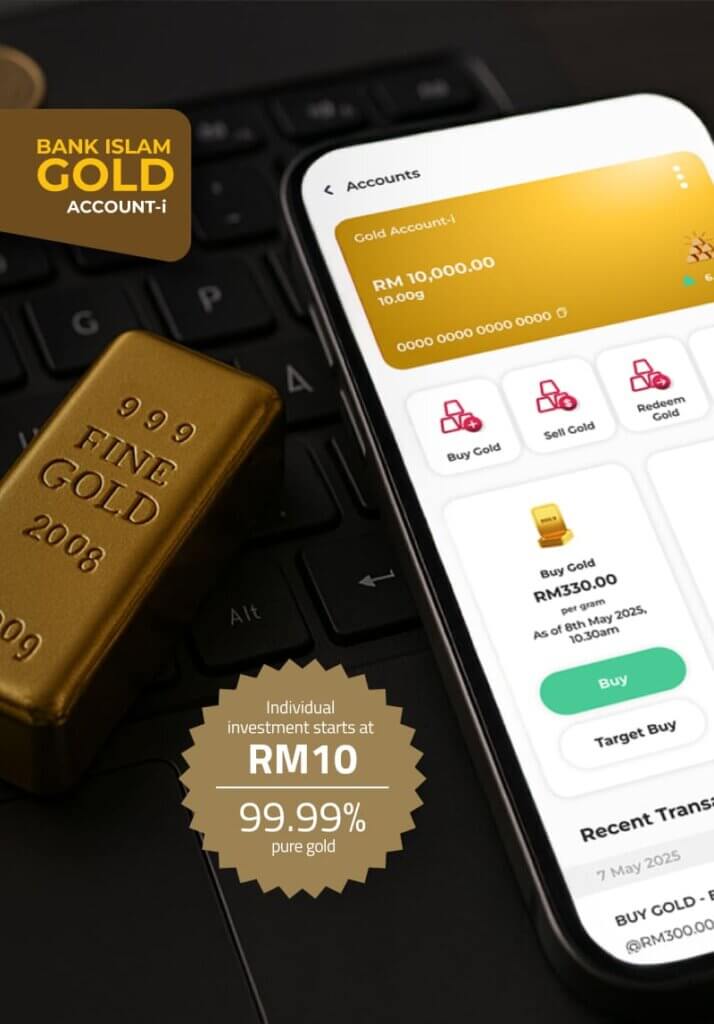
The smart way to invest in gold starts here
Experience the convenience of investing in gold with Bank Islam’s Gold Account-i, now fully accessible via BIMB Mobile and BIMB Web. Whether you're starting out or diversifying your portfolio, our digital platform gives you full control anytime, anywhere.
Start Your Gold JourneyWhat You Can Do
With BIMB Mobile & BIMB Web, investing in gold is easier than ever. Manage your gold on the go with these features

View Account

Buy & Sell Gold
Statement Account

Open Gold Account
Why Use BIMB Mobile & BIMB Web for Your Gold Investment?
Seamless digital experience

Flexible management

Start small, grow big

Shariah-Compliant Investment
How to Start Investing?
Ready to grow your wealth with gold? Follow these simple steps:

Open a Bank Islam Account
Register for BIMB Mobile or BIMB Web

Open your BIGA-i via BIMB Mobile/BIMB Web
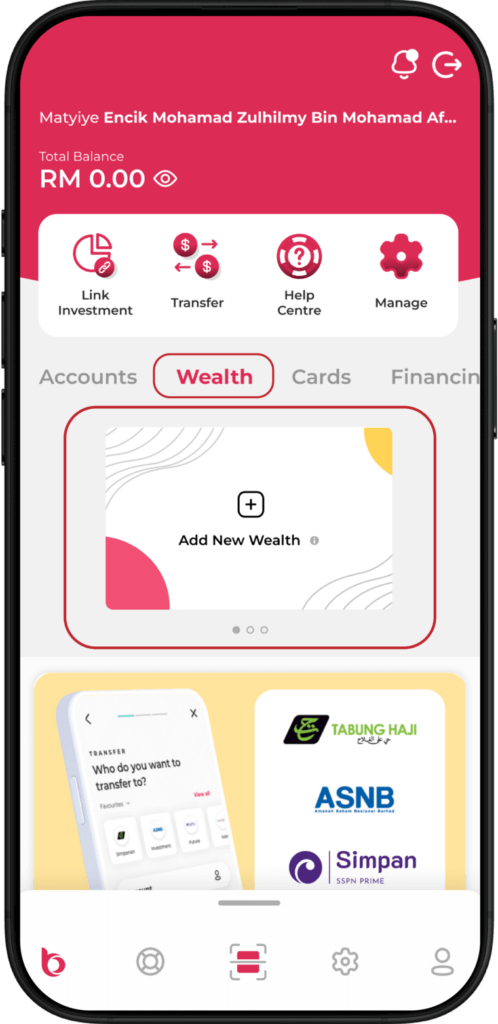
Open BIMB Mobile and navigate to Wealth > Add New Wealth.
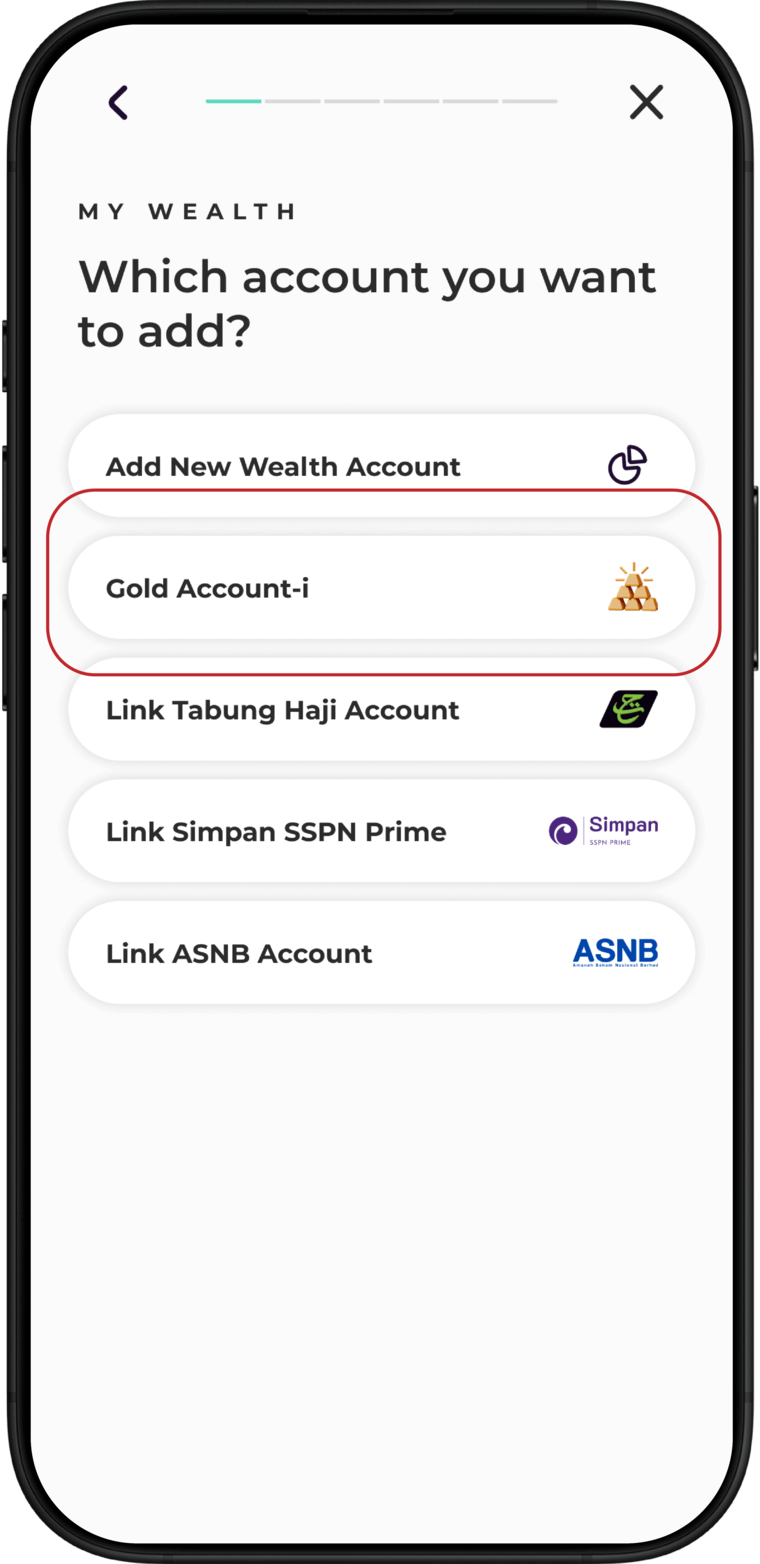
Select Gold Account-i.
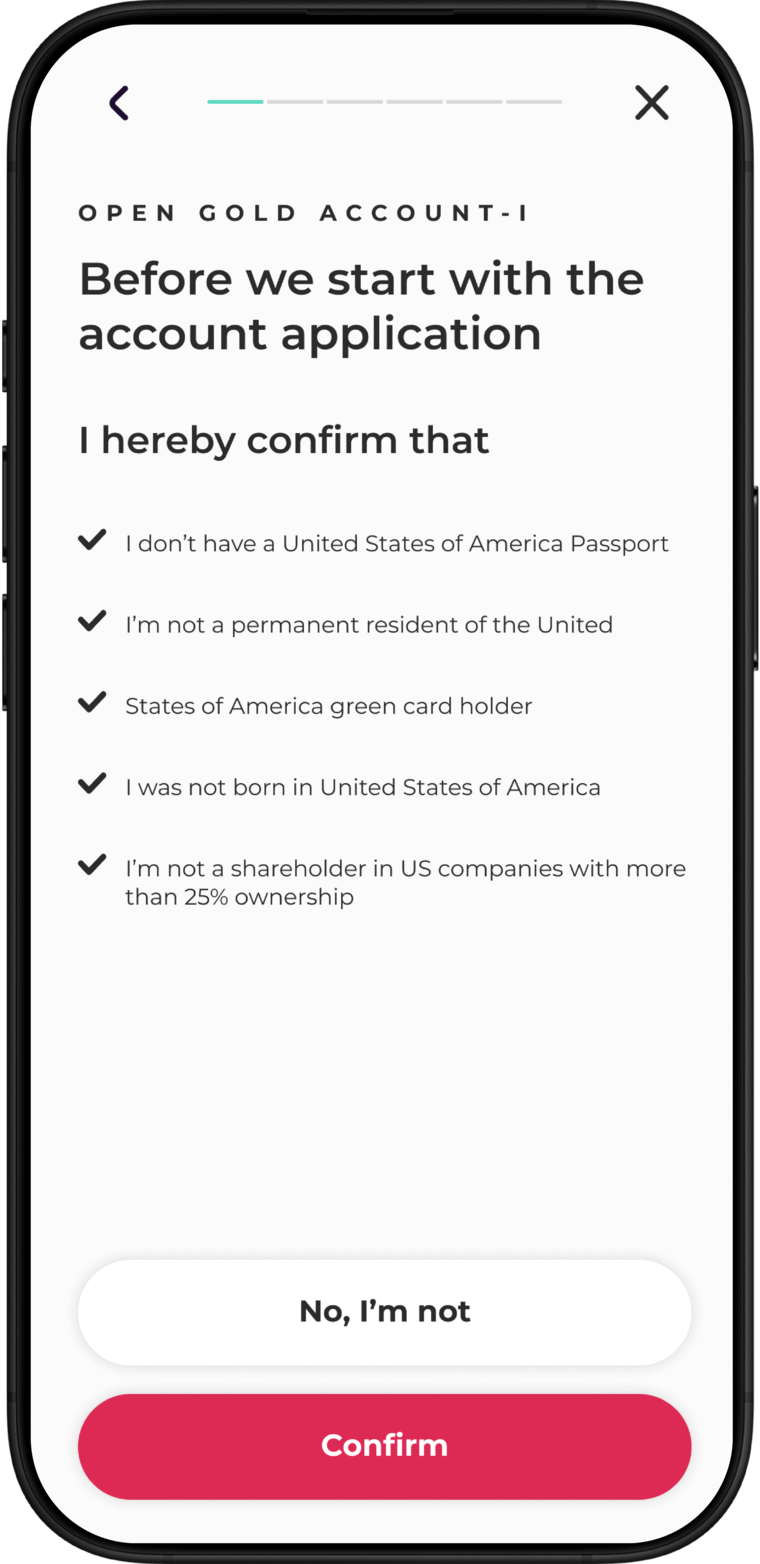
Confirm your status as a
non-US person
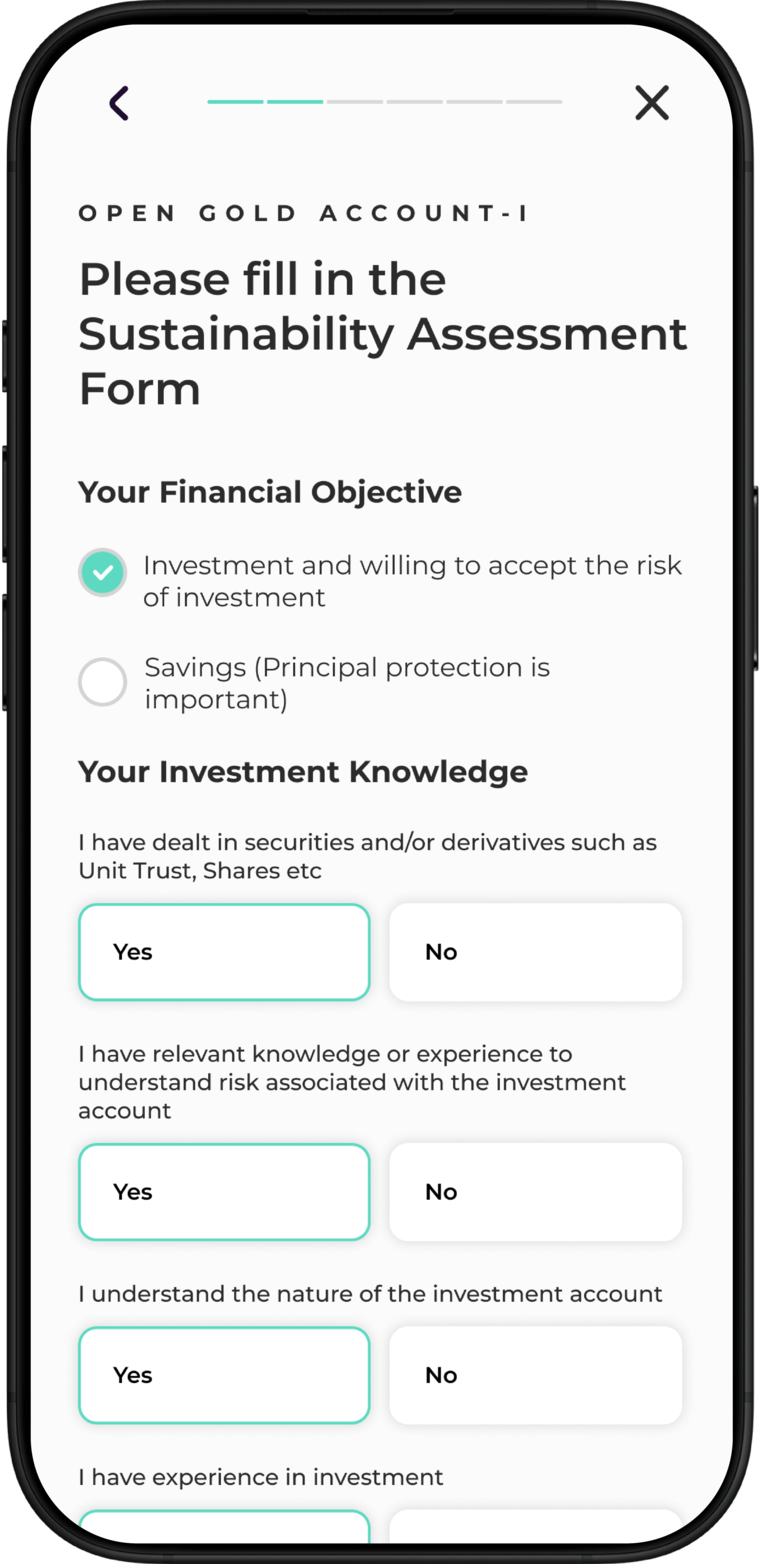
Complete the Suitability Assessment Form and tap Continue.
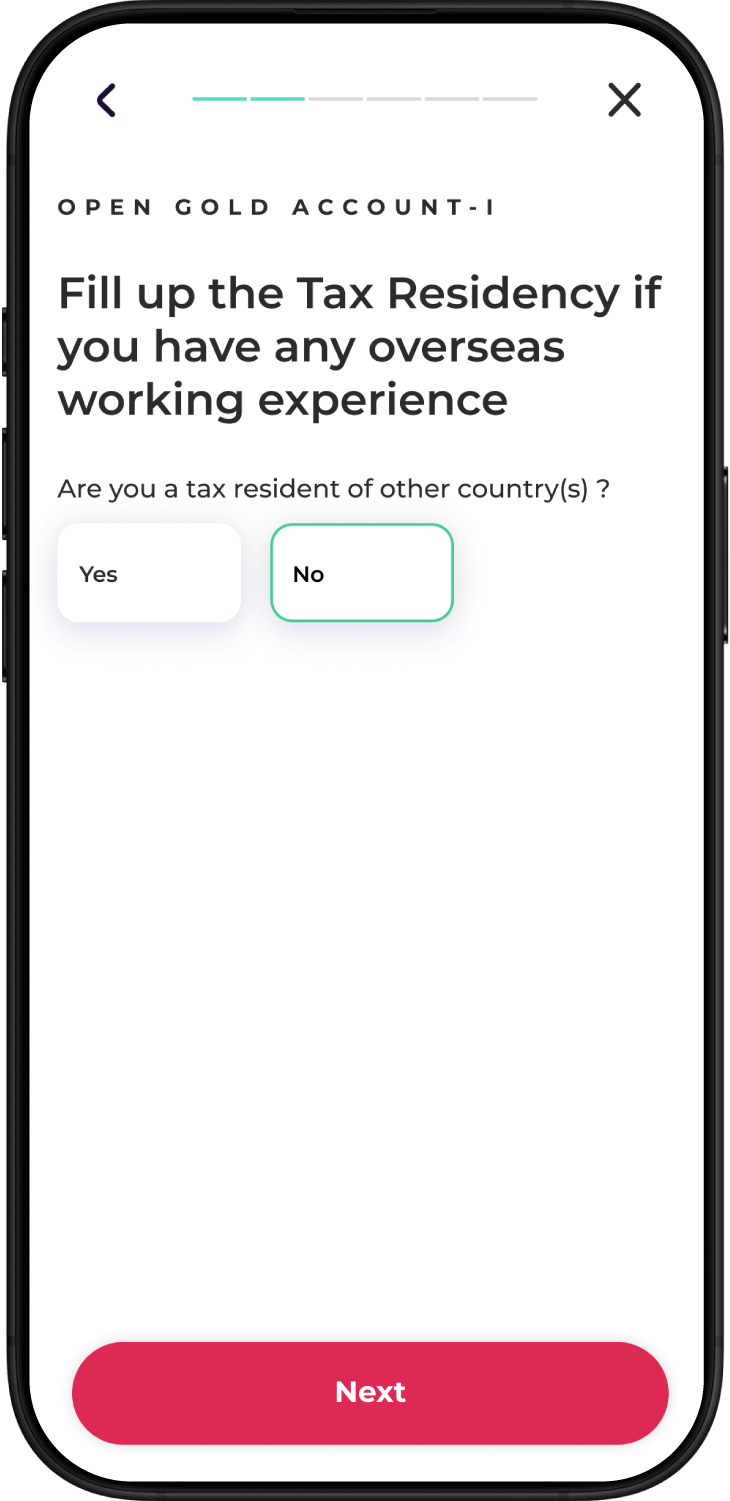
Add your tax residency details and tap ‘Next’
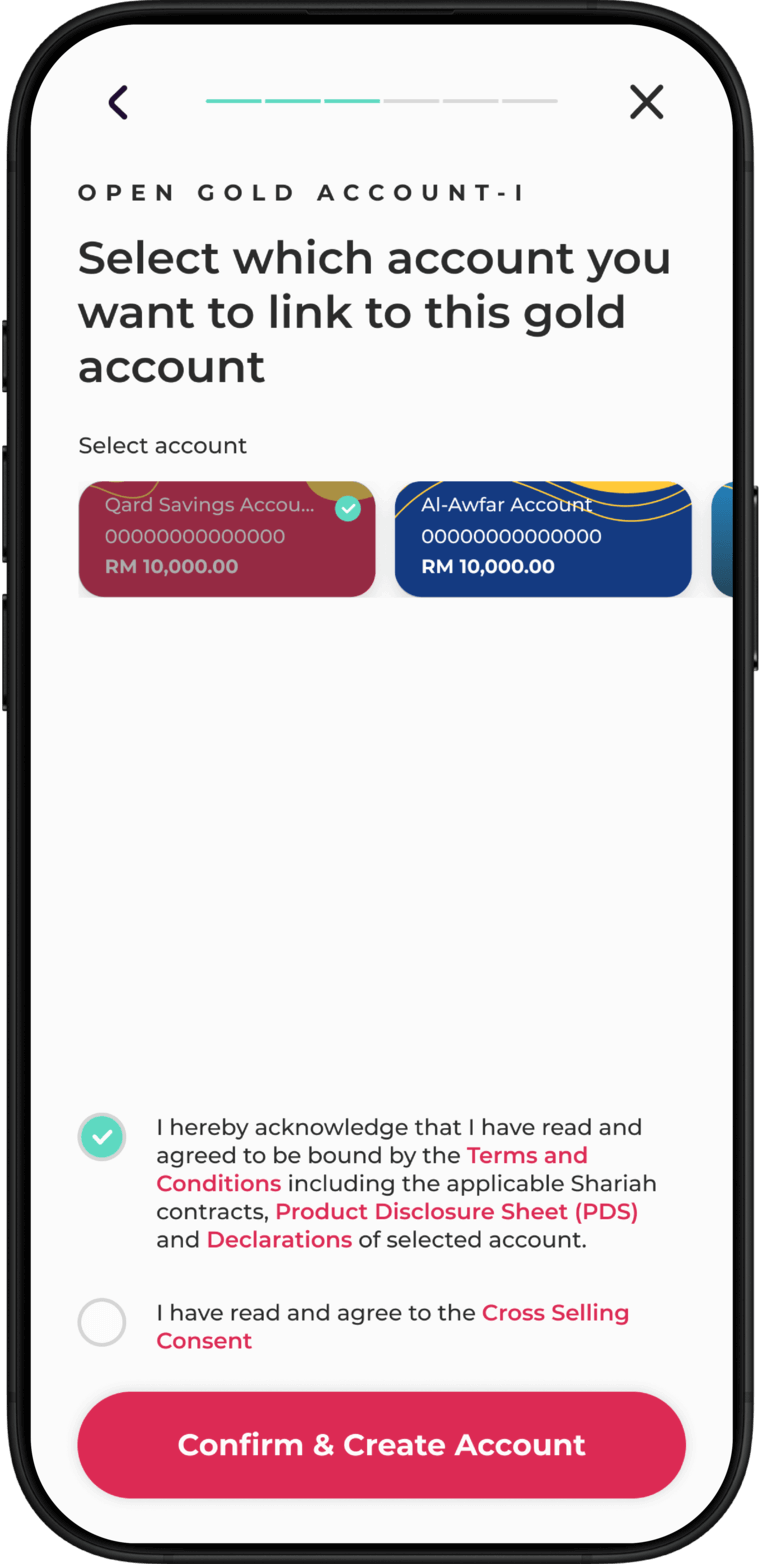
Select the account to link for funding your Gold Account-i, then tap Confirm & Create Account.
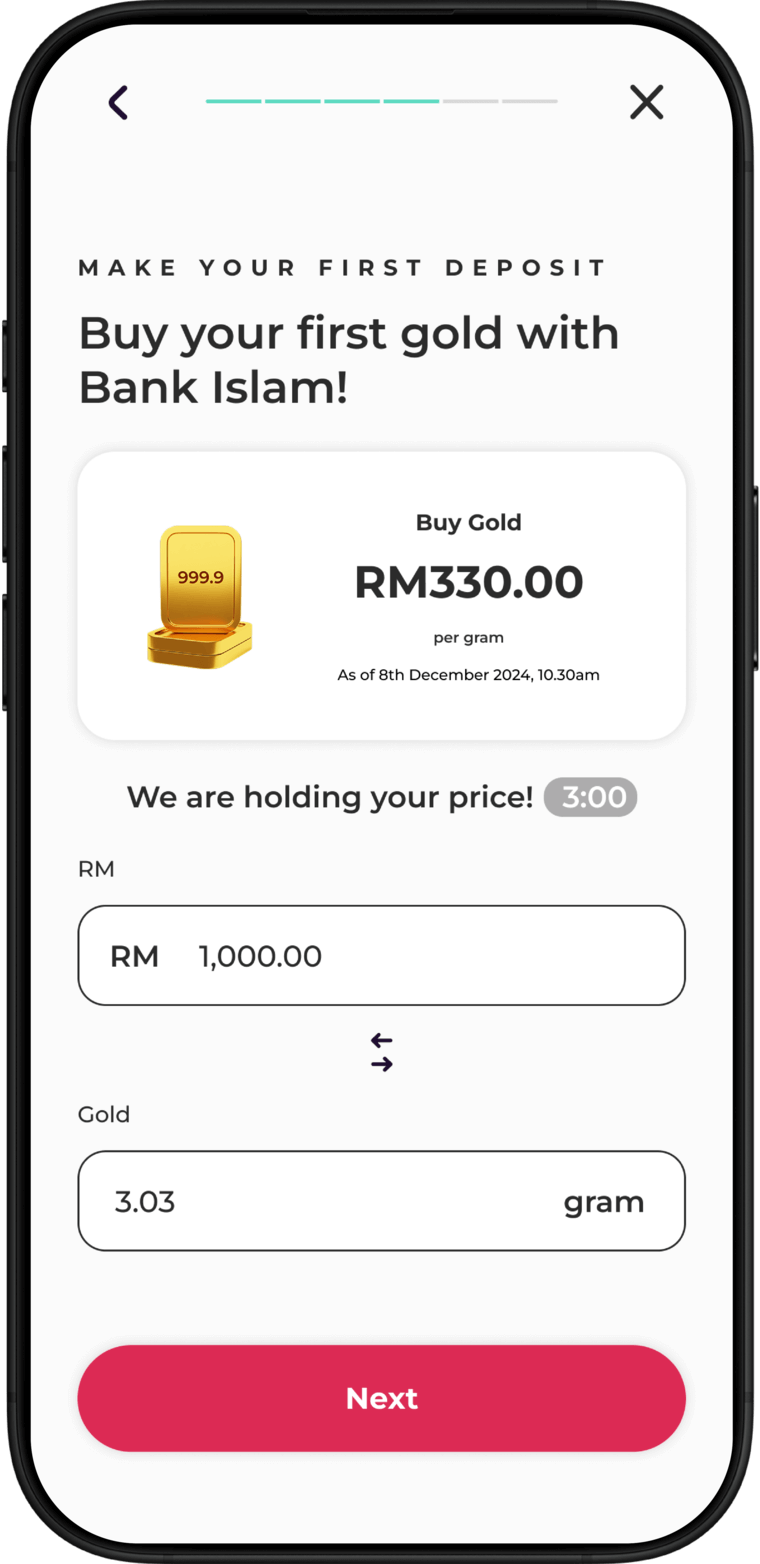
Your account is now ready! Tap Buy your first gold to proceed. Enter the amount or grams of gold you wish to purchase, then select funding account and tap Next.
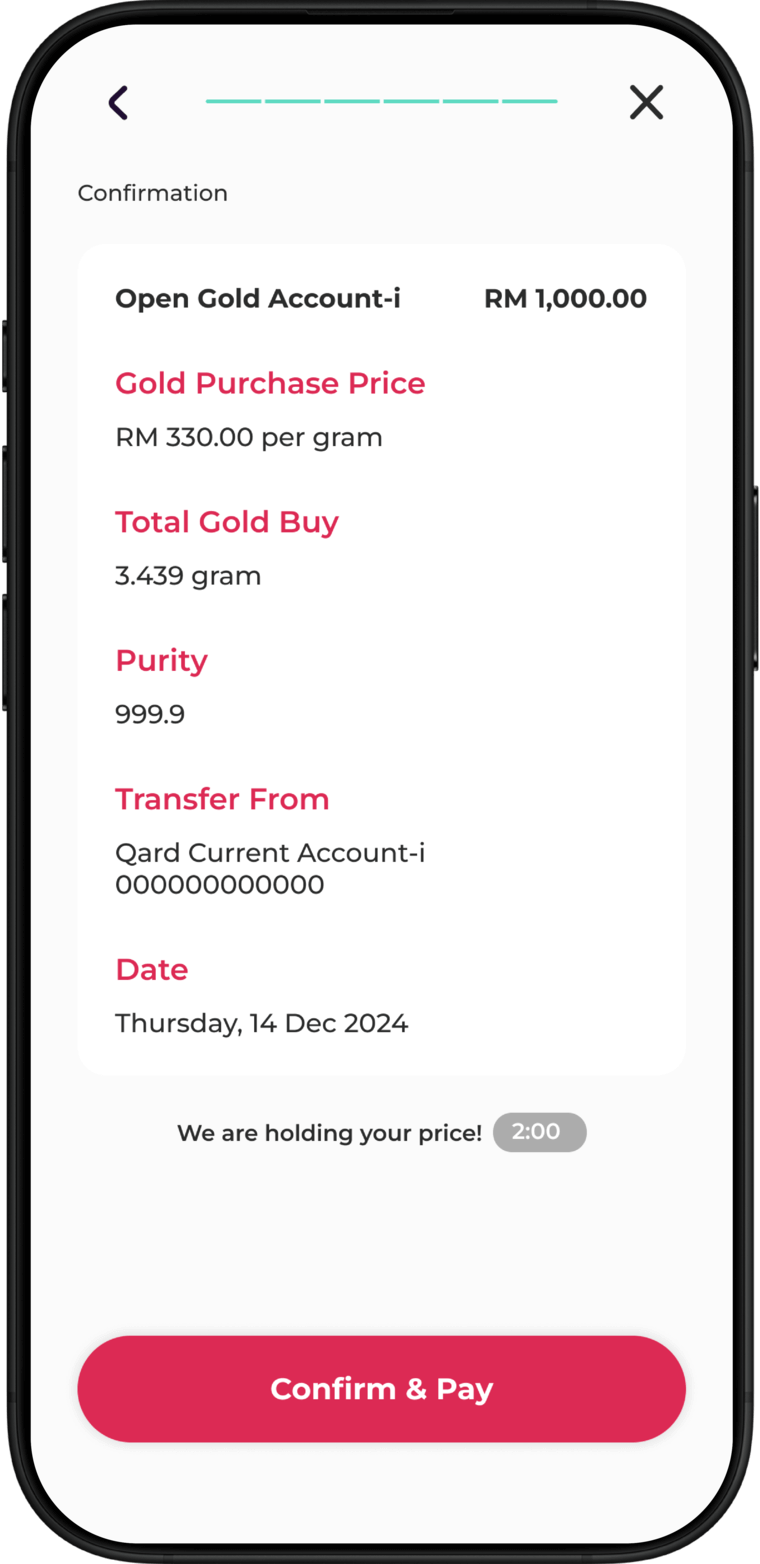
Review the purchase details and tap Confirm & Pay. Authorise the transaction in BIMB Secure.
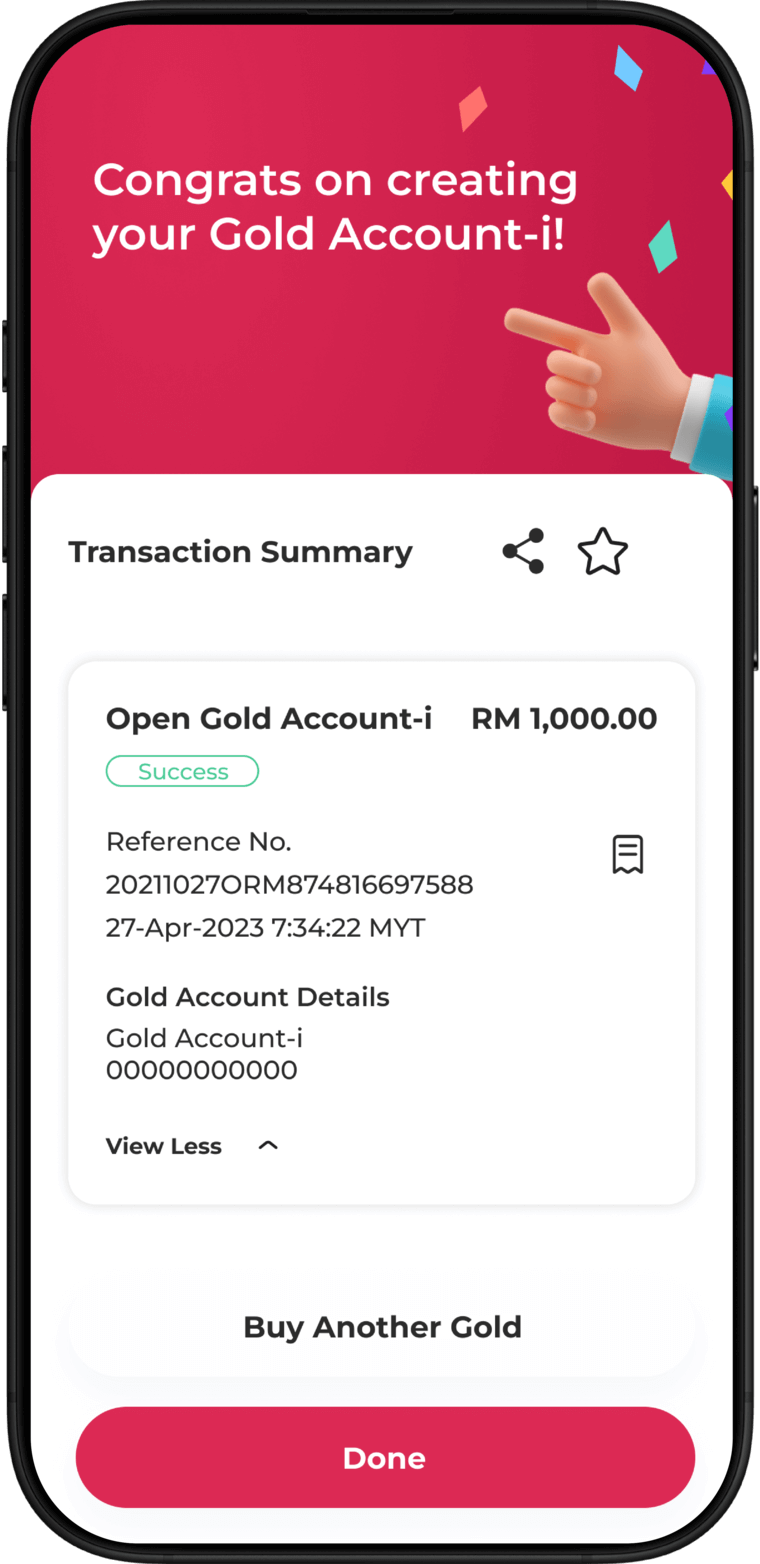
Congratulations! You’ve successfully opened your Gold Account-i.
Purchase gold via BIMB Mobile
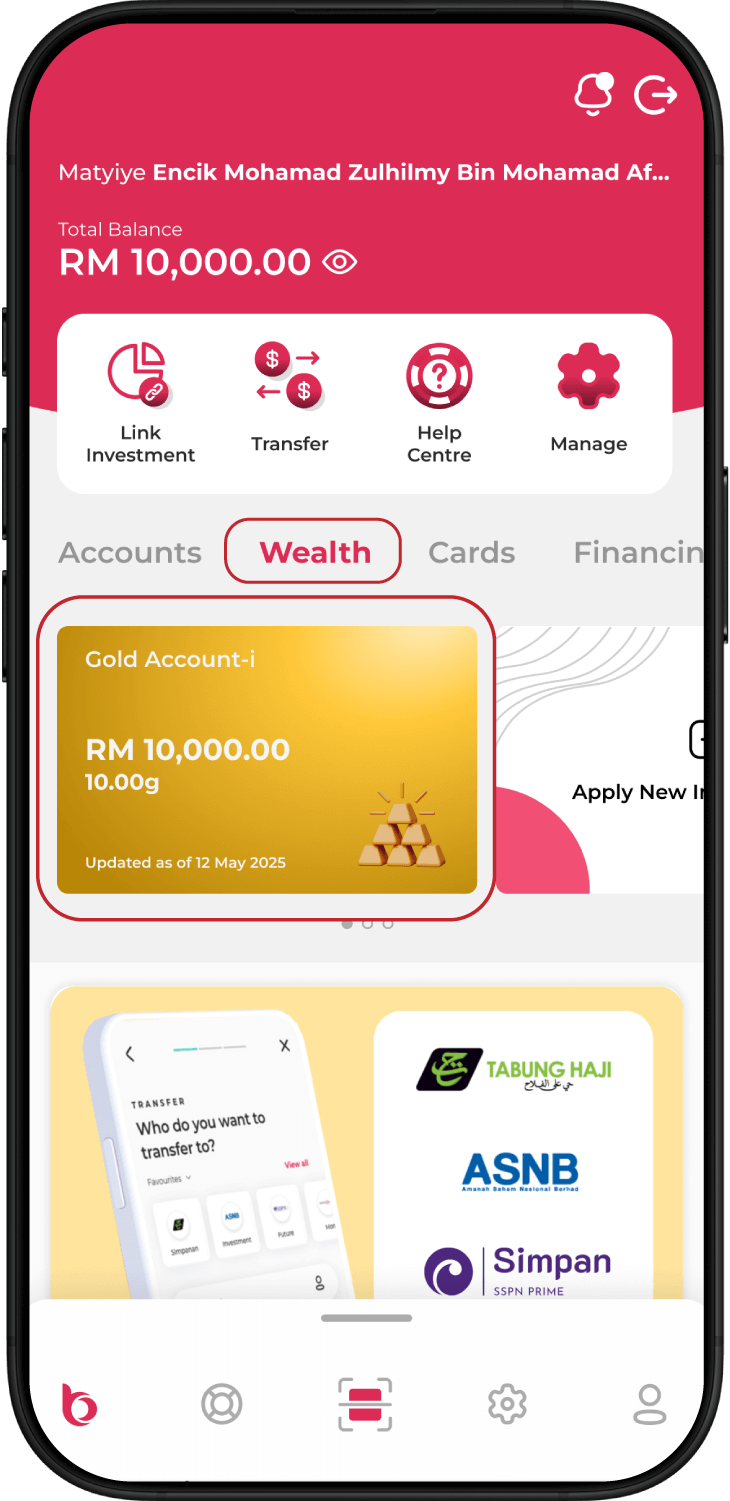
Launch the BIMB Mobile app and navigate to Wealth > Gold Account-i.
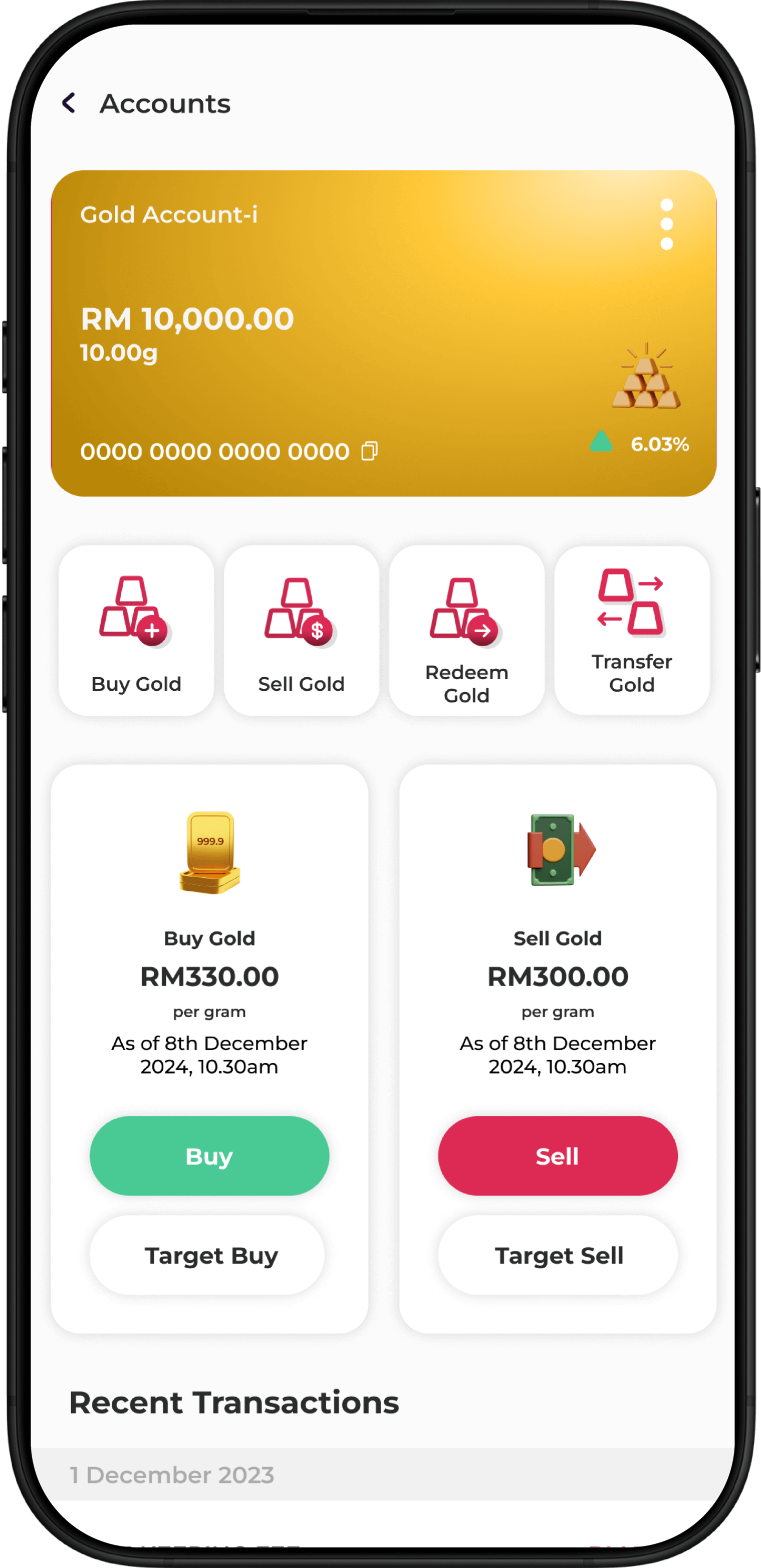
Tap Buy Gold or Buy.
Enter amount in RM or grams. Select your funding account and tap Next.
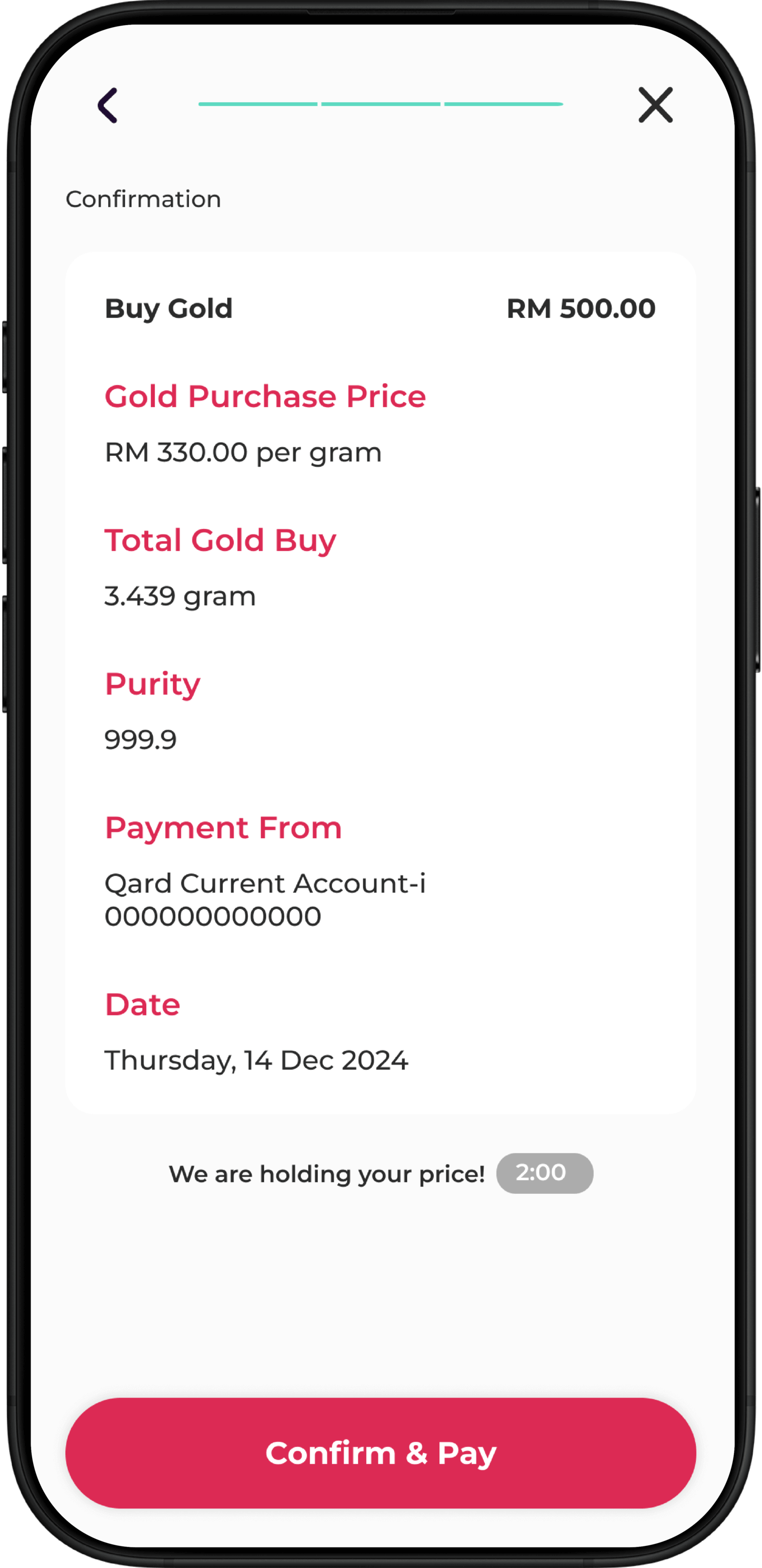
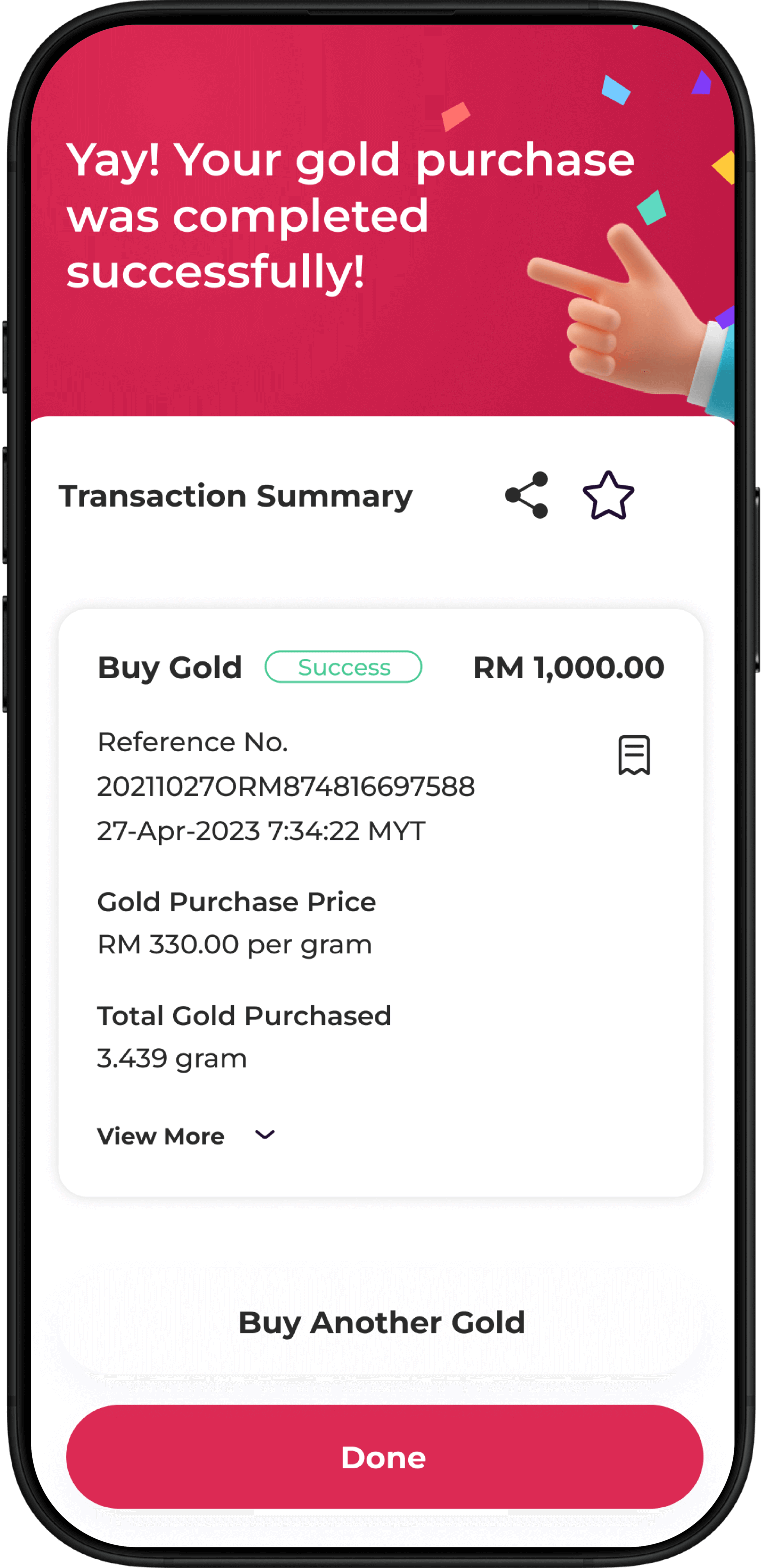
Review the purchase details and tap Confirm & Pay. Authorise the transaction in BIMB Secure.
Done!
Your gold purchase is complete.
Sell your gold holdings via BIMB Mobile
Launch the BIMB Mobile app and navigate to Wealth > Gold Account-i.
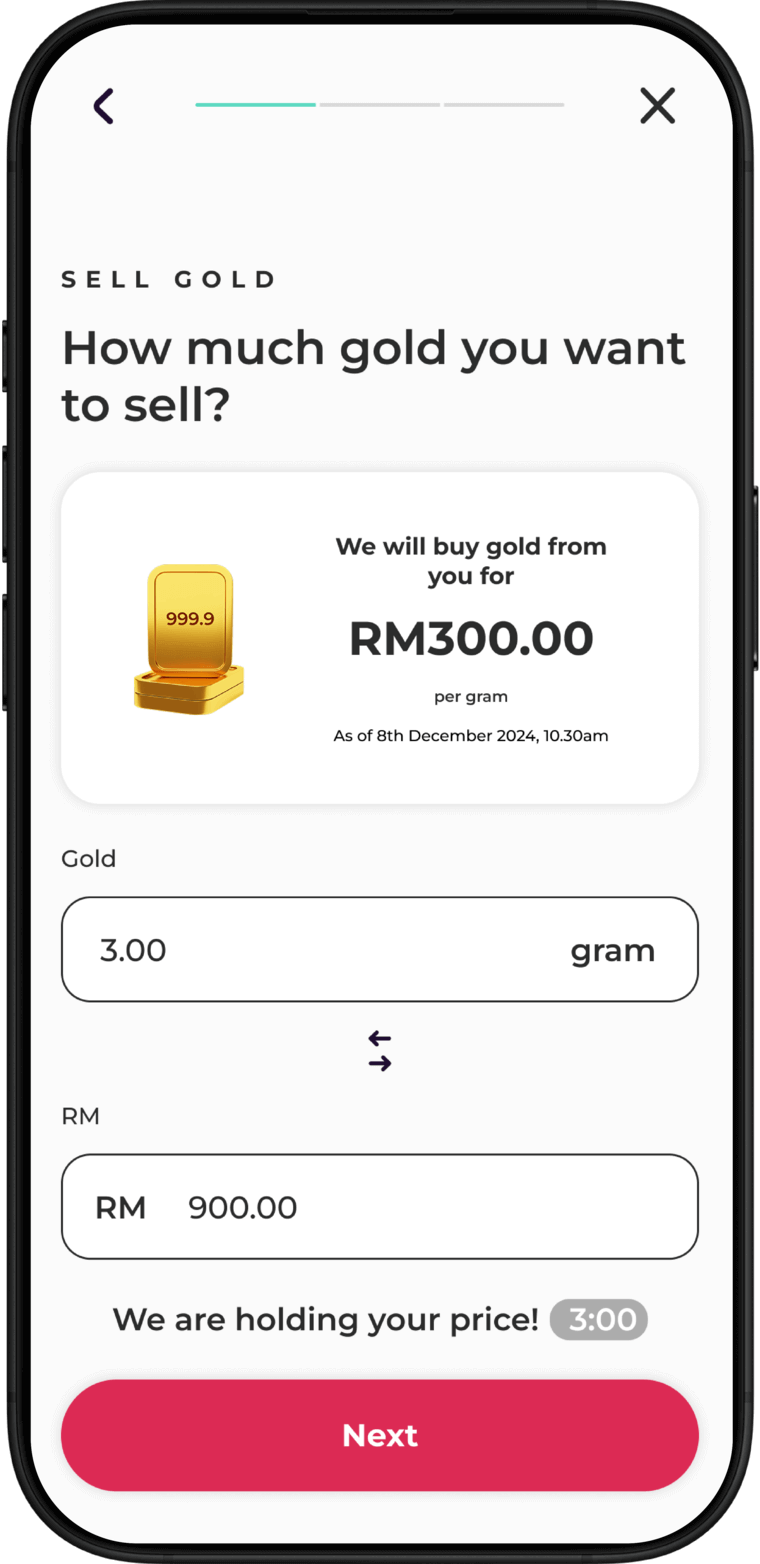
Tap Sell Gold or Sell.
Enter amount in RM or grams. Select the account where you wish to receive the funds.
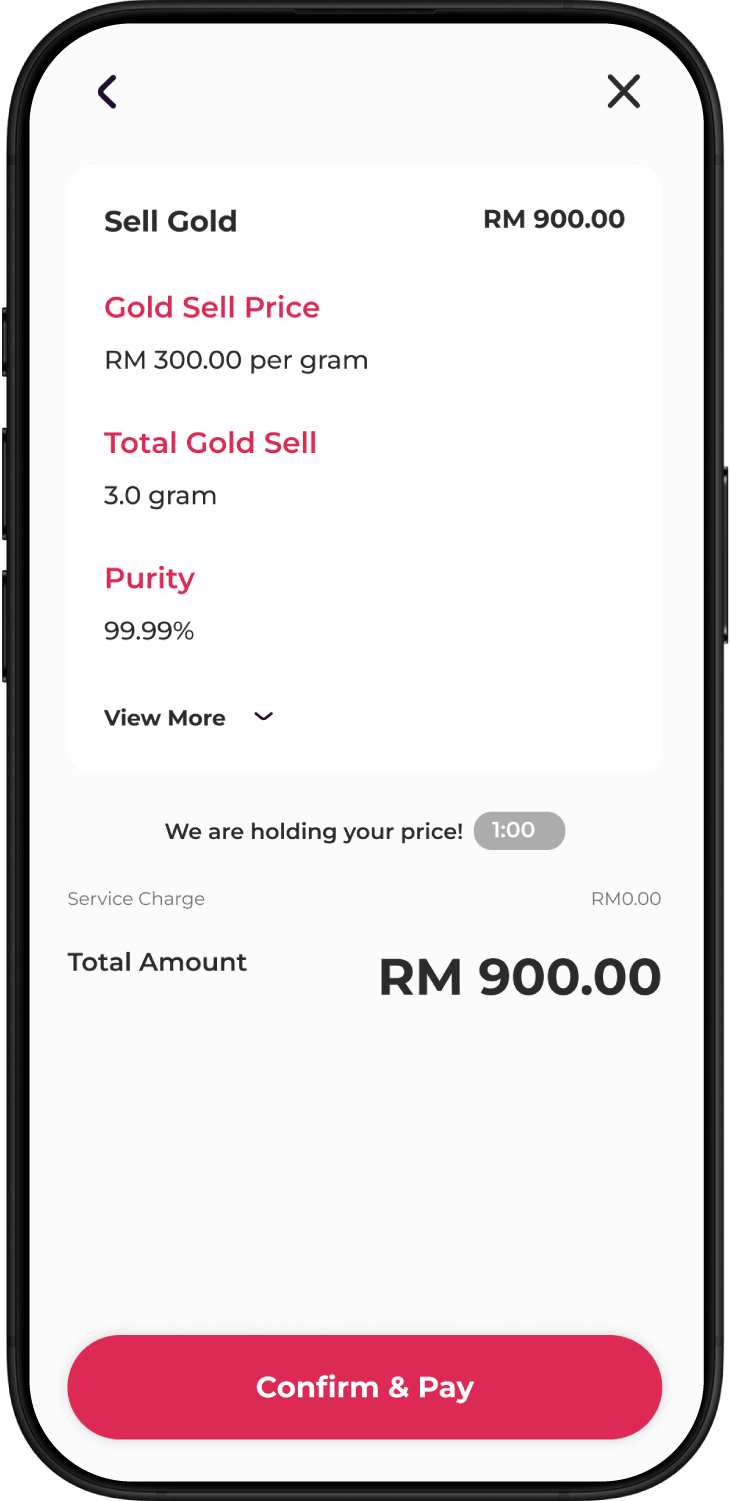
Review the transaction details and tap Confirm & Pay. Authorise the transaction in BIMB Secure.
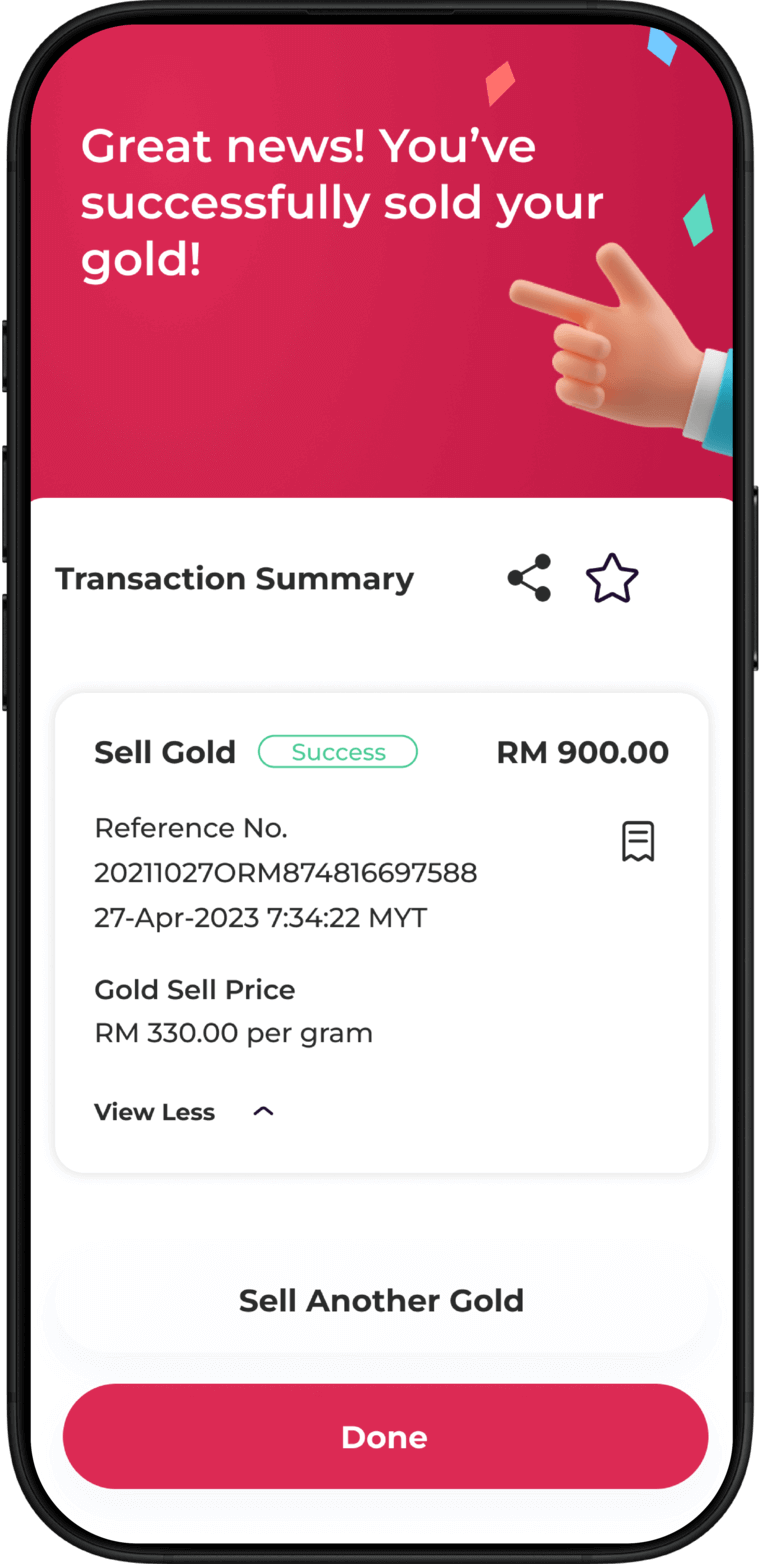
Done!
Your gold sale is complete.
Opening a Bank Islam Gold-i Account via BIMB Mobile
Open BIMB Mobile and navigate to Wealth > Add New Wealth.
Select Gold Account-i.
Confirm your status as a
non-US person
Complete the Suitability Assessment Form and tap Continue.
Select the account to link for funding your Gold Account-i, then tap Confirm & Create Account.
Our account is now ready! Tap Buy your first gold to proceed. Enter the amount or grams of gold you wish to purchase, then select funding account and tap Next.
Review the purchase details and tap Confirm & Pay. Authorise the transaction in BIMB Secure.
Congratulations! You’ve successfully opened your Gold Account-i.
Buying Gold on BIMB Mobile
Launch the BIMB Mobile app and navigate to Wealth > Gold Account-i.
Tap Buy Gold or Buy.
Enter amount in RM or grams. Select your funding account and tap Next.
Review the purchase details and tap Confirm & Pay. Authorise the transaction in BIMB Secure.
Done!
Your gold purchase is complete.
Selling Gold on BIMB Mobile
Launch the BIMB Mobile app and navigate to Wealth > Gold Account-i.
Tap Buy Gold or Buy.
Enter amount in RM or grams. Select the account where you wish to receive the funds.
Review the transaction details and tap Confirm & Pay. Authorise the transaction in BIMB Secure.
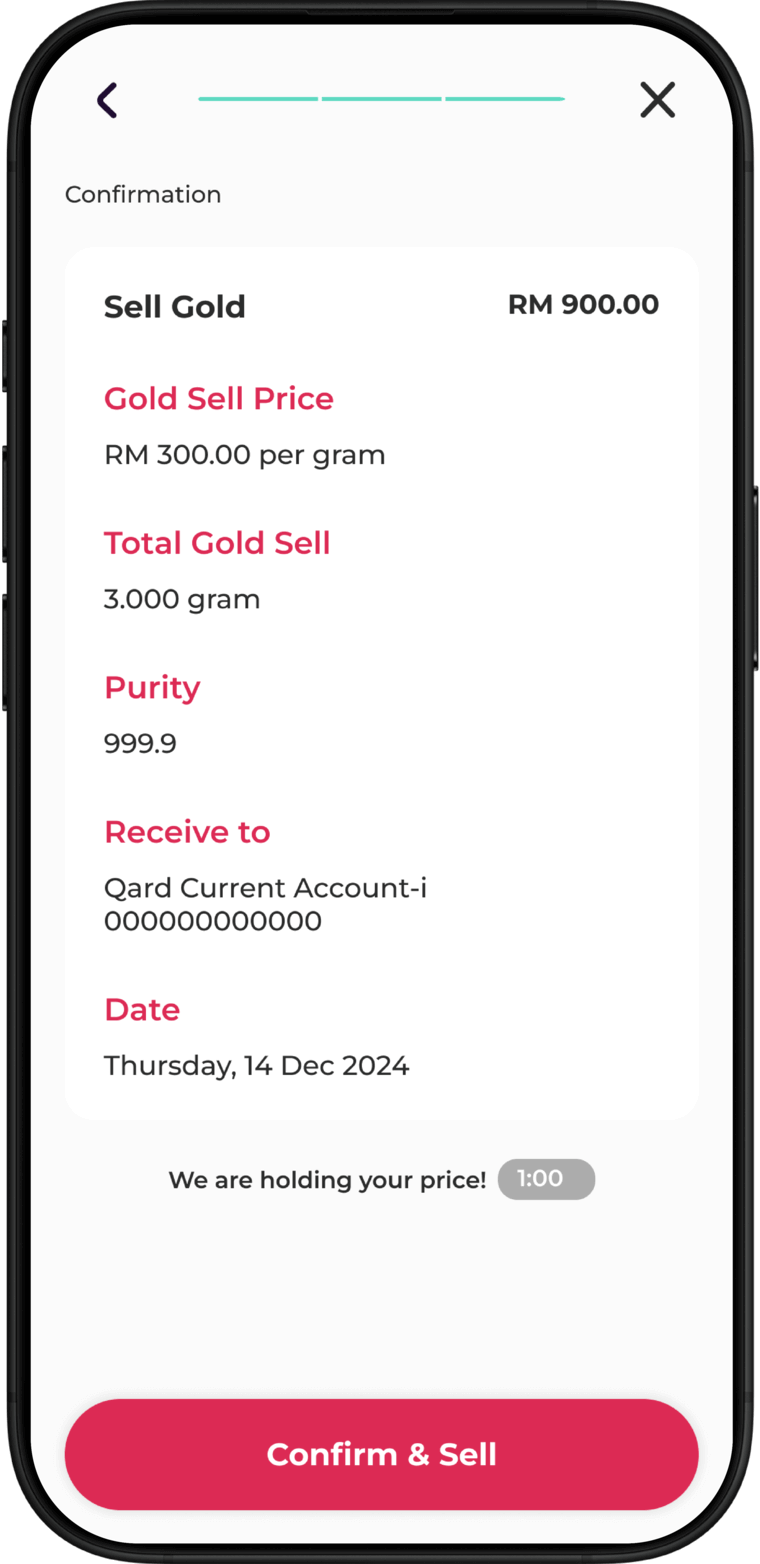
Done!
Your gold sale is complete.
Frequently asked questions
Yes. You can update or change the linked CASATIA account anytime via BIMB Mobile or BIMB Web. Please refer to the How To Use - BIMB guide for detailed instructions.
With BIGA-i you can perform the following via BIMB Mobile and BIMB Web:
- Open a BIGA-i
- Link or update your CASATIA account
- Buy gold at real-time market prices
- Sell gold holdings
- View account details and balances
- Review transaction history and download e-Statements
Note: All BIGA-i transactions (account opening, buy/sell gold and switch CASATIA) are available daily from 8:30am to 11:59pm.
Visit our Corporate Website for more info about BIGA-i.
You can view up-to-date gold prices on Our Official Page and Info Page