



Open Your Bank Islam Account Online.
Easy, Fast, and Secure.
Get an account instantly without coming to the bank

Quick Online Account Opening

New account is created instantly
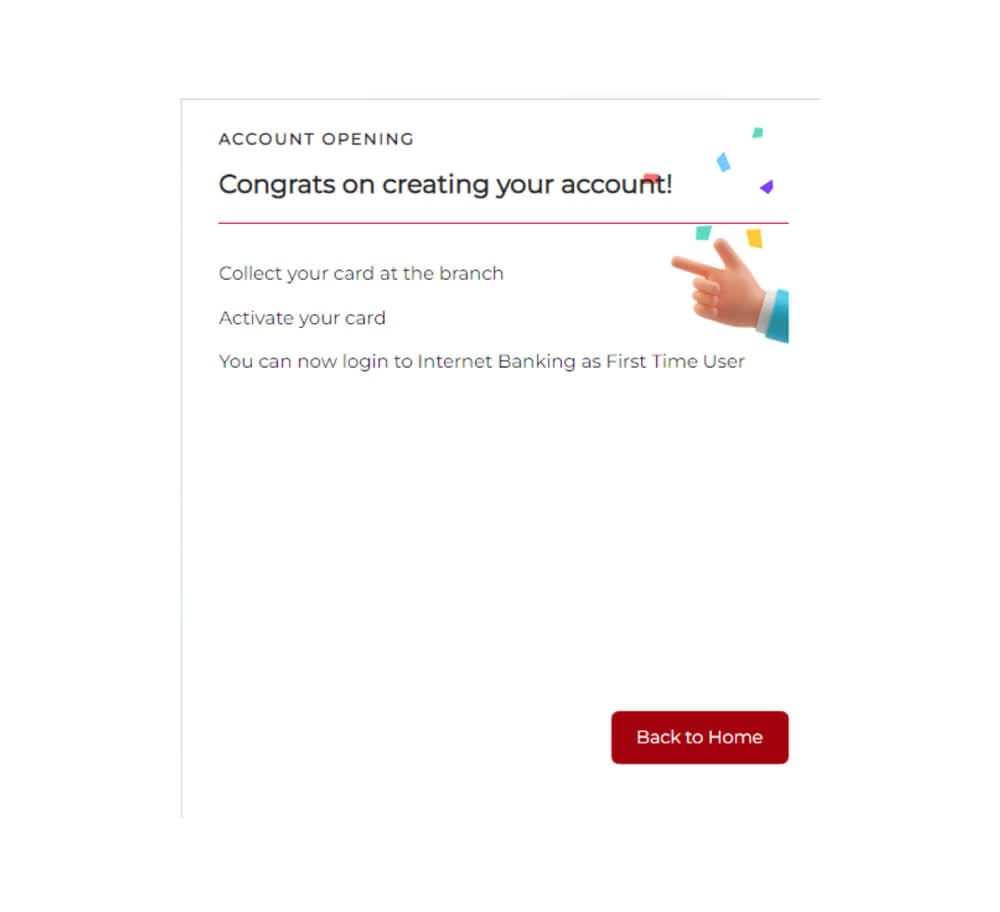
**You will need to visit the nearest Bank Islam branch to collect your debit card and activate your account

Experience the convenience of banking with Bank Islam by opening your account online. With just a few clicks, you can start your banking journey with us, anytime, anywhere. Whether you’re looking to save, invest, or manage your day-to-day finances, Bank Islam offers a range of accounts to suit your needs.
Step-by-Step Guide to Open an Account Online

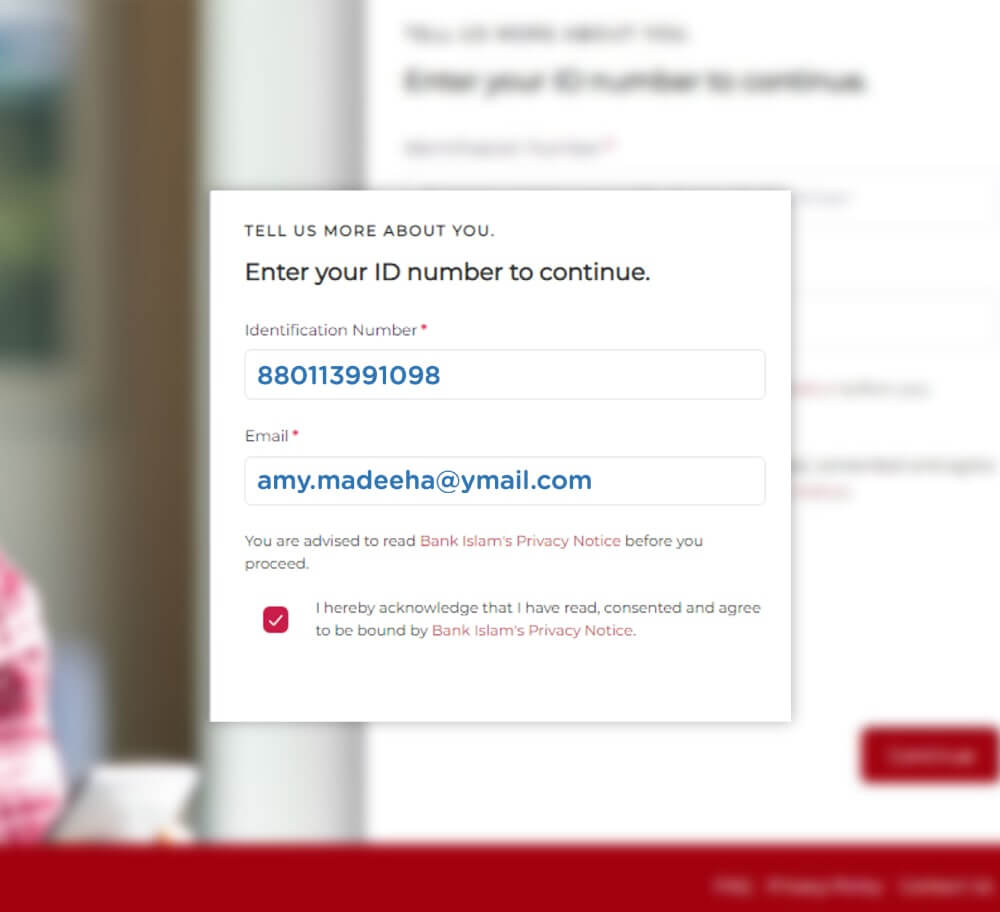
Step 1
Key-in your Identification Number and Email address.
Step 2
Enter your phone number
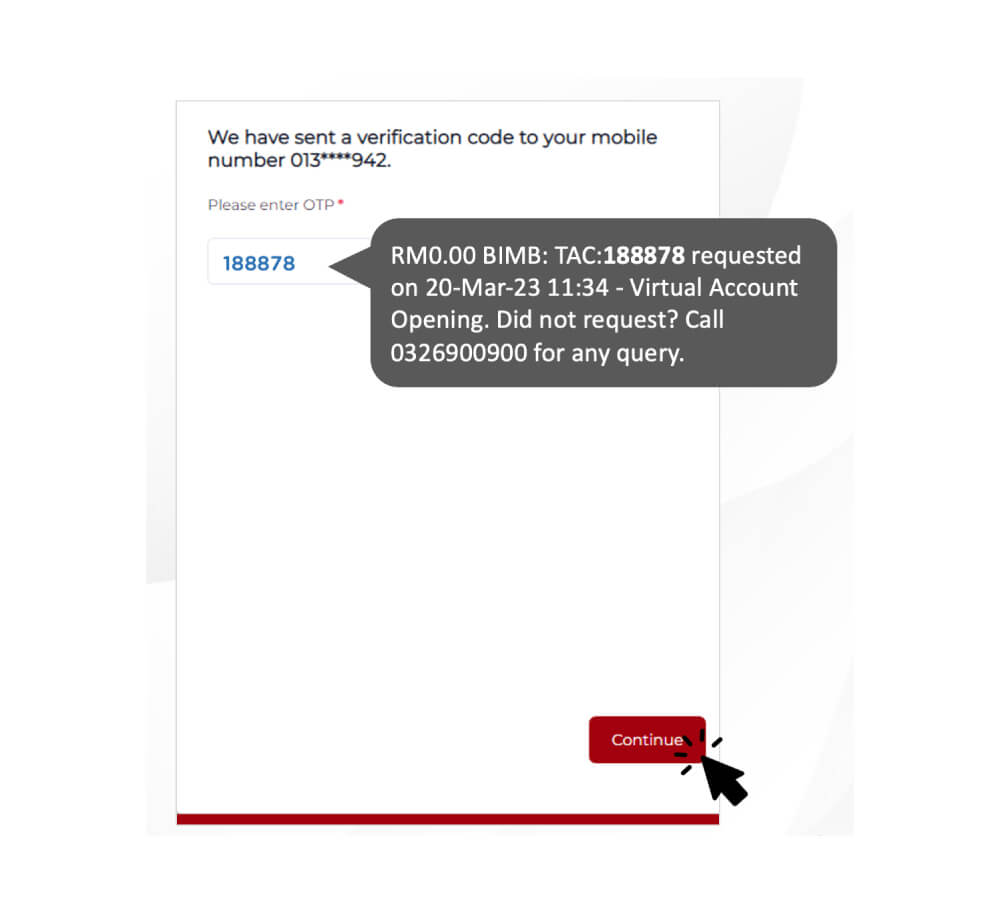
Step 3
Verify yourself through the eKYC process. Please prepare your Identification Card for this step.
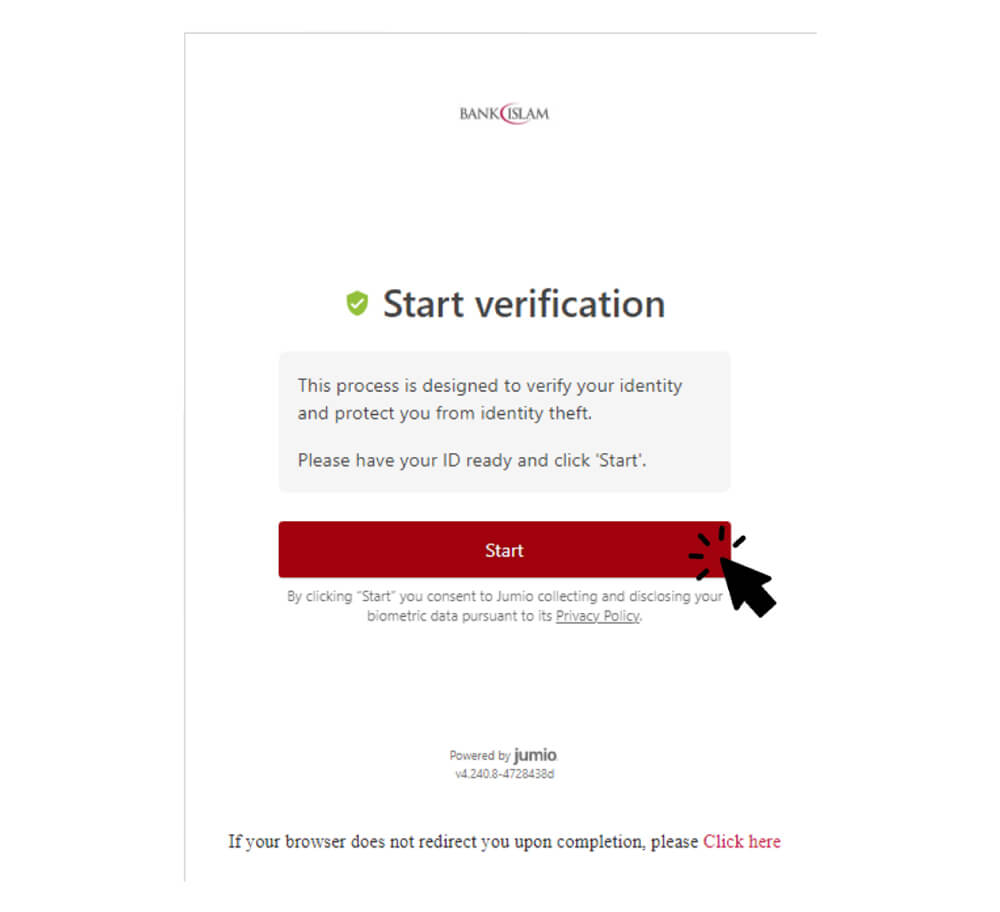
Step 4
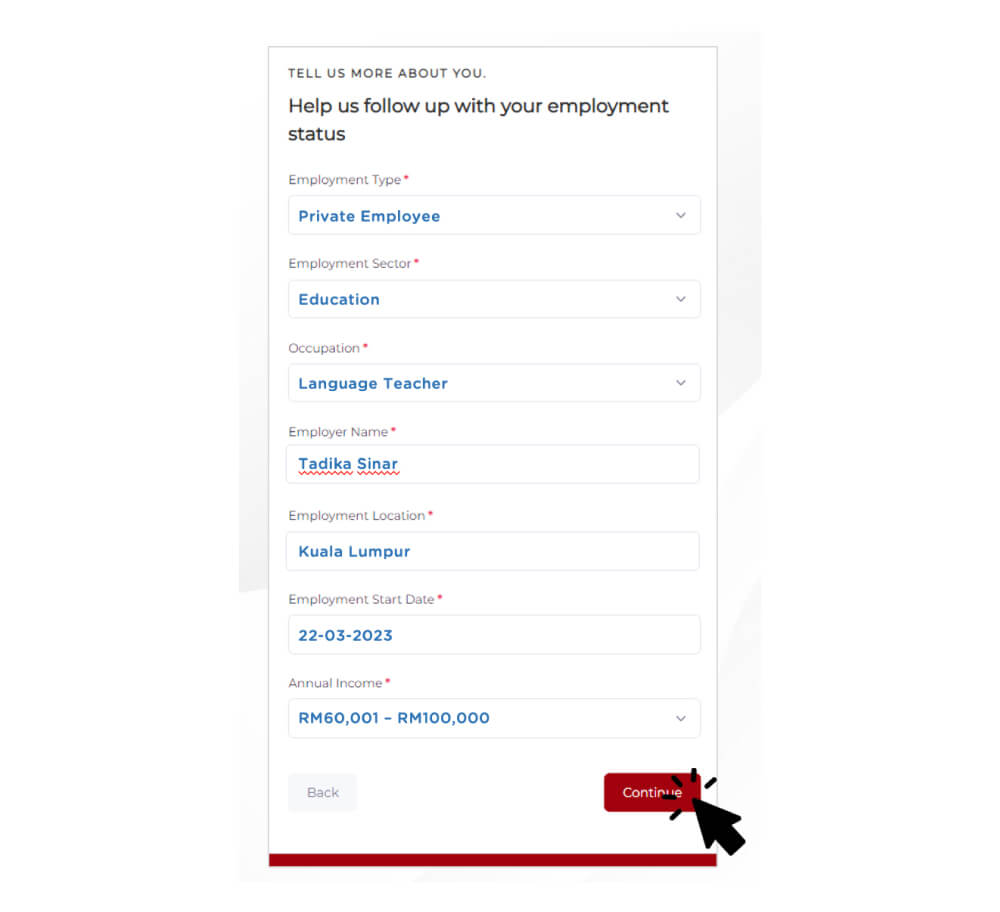
Enter the required info. Follow the steps to fill in your details.
Step 5
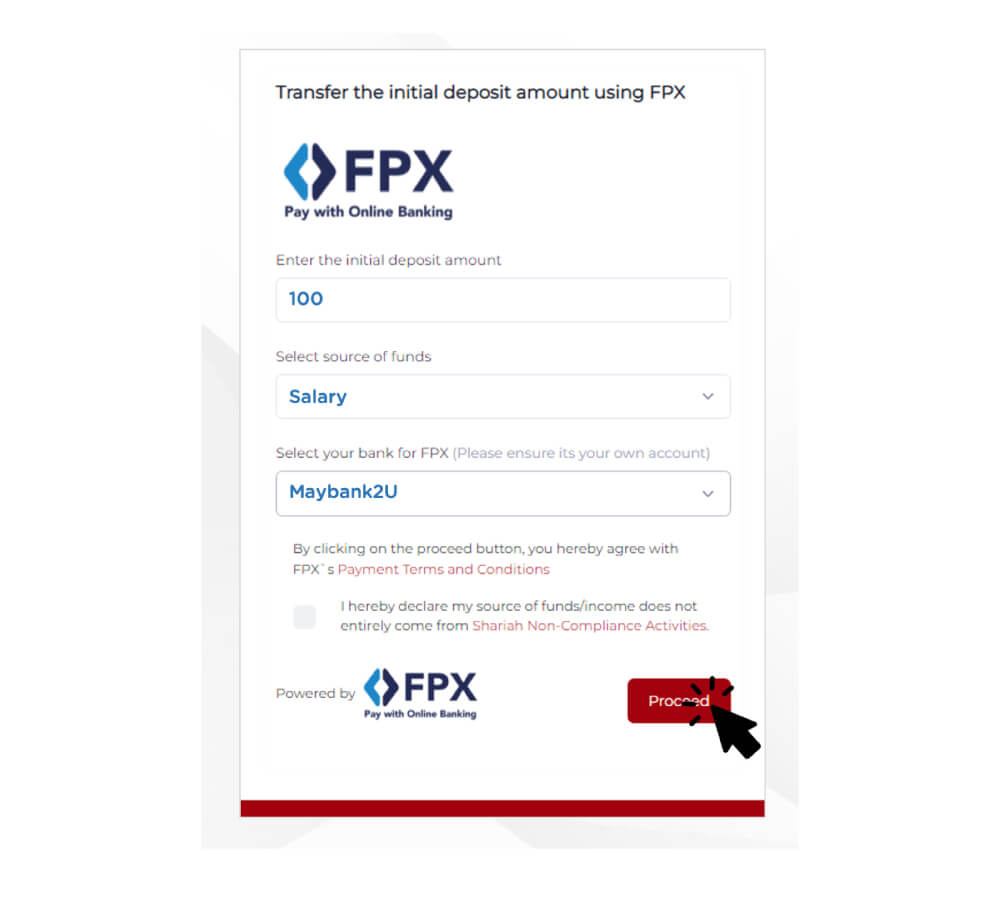
Perform initial deposit from other banks (via FPX)
Select your preferred card & branch.
Proceed to register for BIMB Mobile & BIMB Web.
*You need to wait for 12-hour cooling-off period prior to performing any monetary transaction. Click here to find out why.
Which account suits me best?
Click on any of the items below to explore.

I want to win
a big prize!
a big prize!
I just want a normal account

I want an investment account with a high profit rate
Ready to open your Bank Islam account online? Download BIMB Mobile now!
Frequently asked questions
No data was found